EN
Director mode badge

AI Music VideoDirector Mode

Professional AI MV Generator

Music icon

Upload a music file

0/5000

How Director Mode Works

Director mode works

Preparation

1

Upload your song

Upload your song, add up to 2 character images, and write your creative prompt(use @ to reference characters).

2

Set parameters

Then set aspect ratio, resolution, model, and visual style to complete the foundation.

Generation Process

After preparation, the AI Director guides you through the following steps.

Lyric Recognition

The AI analyzes the lyrics to extract key emotions, themes, and narrative elements, forming the foundation of the story. If the result is inaccurate or not what you expected, you can edit or regenerate this step.
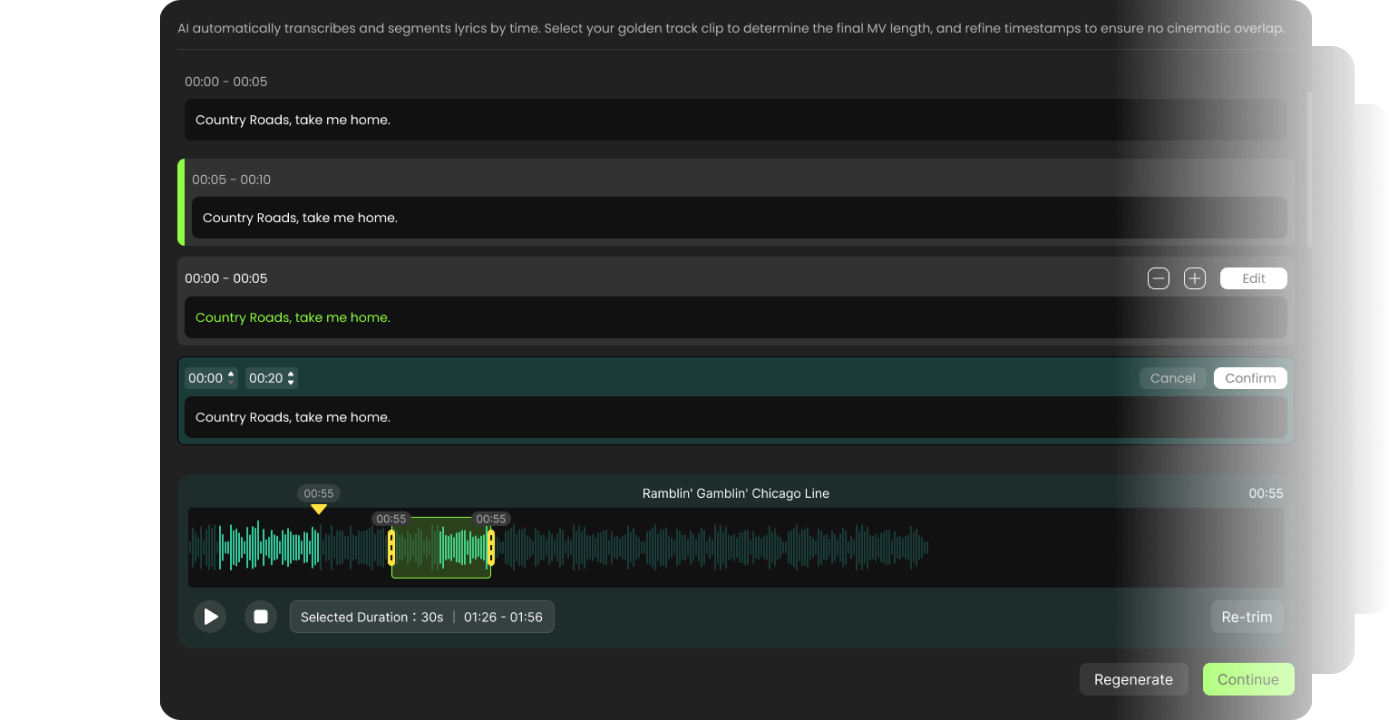
Lyric Recognition

Script & Vibe

Based on your prompt, the song’s meaning, and character references, the AI builds the story outline, visual style, and overall genre. You can modify or regenerate this step if the direction feels off.
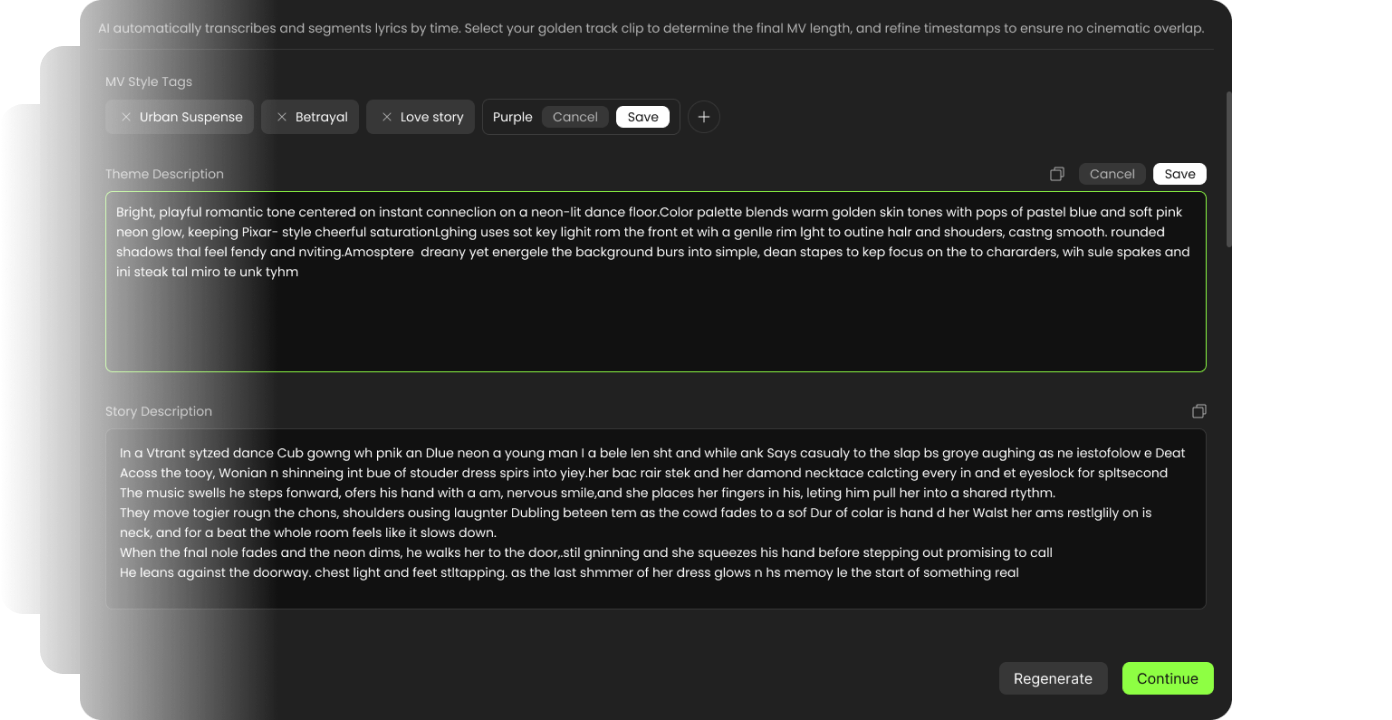
Script & Vibe

Crafting Characters

The AI generates detailed character prompts and images according to the story and your uploaded references. If you are not satisfied with the characters, you can edit the prompts or regenerate the images.
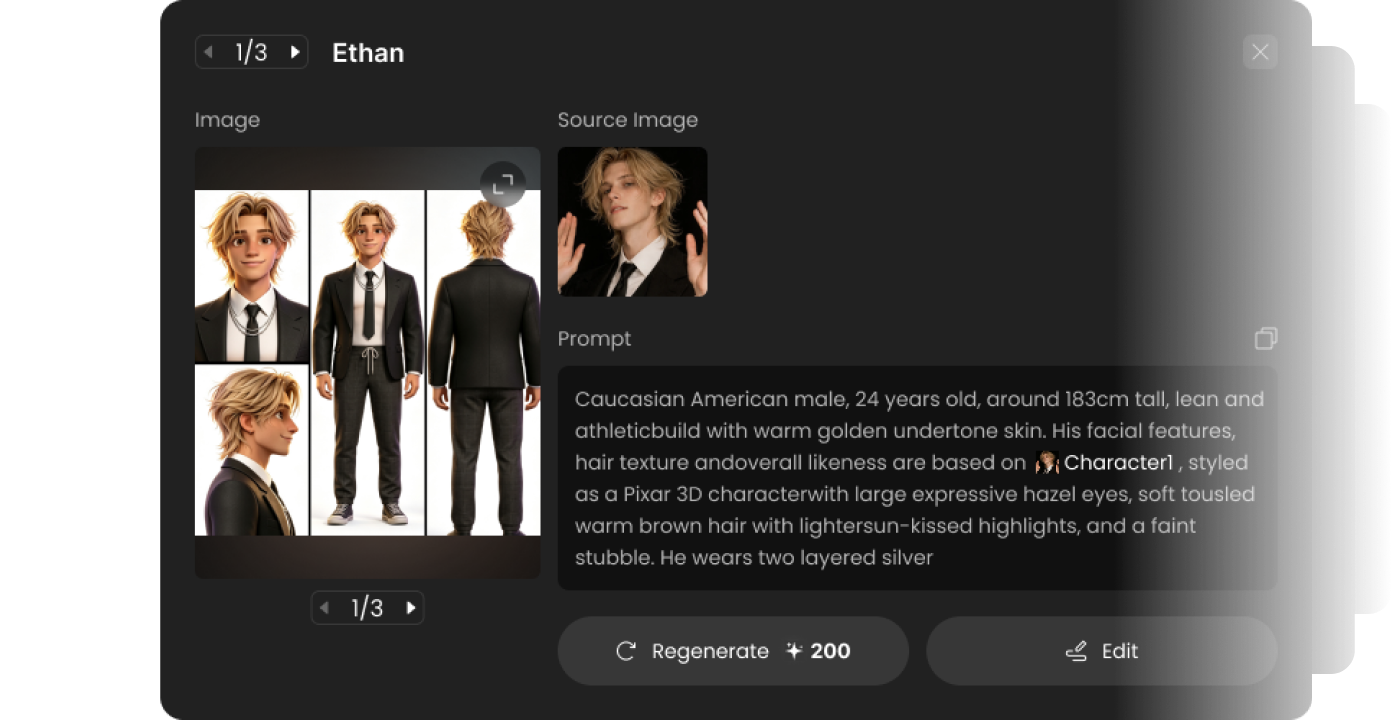
Crafting Characters

Constructing Scenes

Scene prompts and images are created to match the story atmosphere and visual style. You can adjust or regenerate any scene if it doesn’t fit your vision.
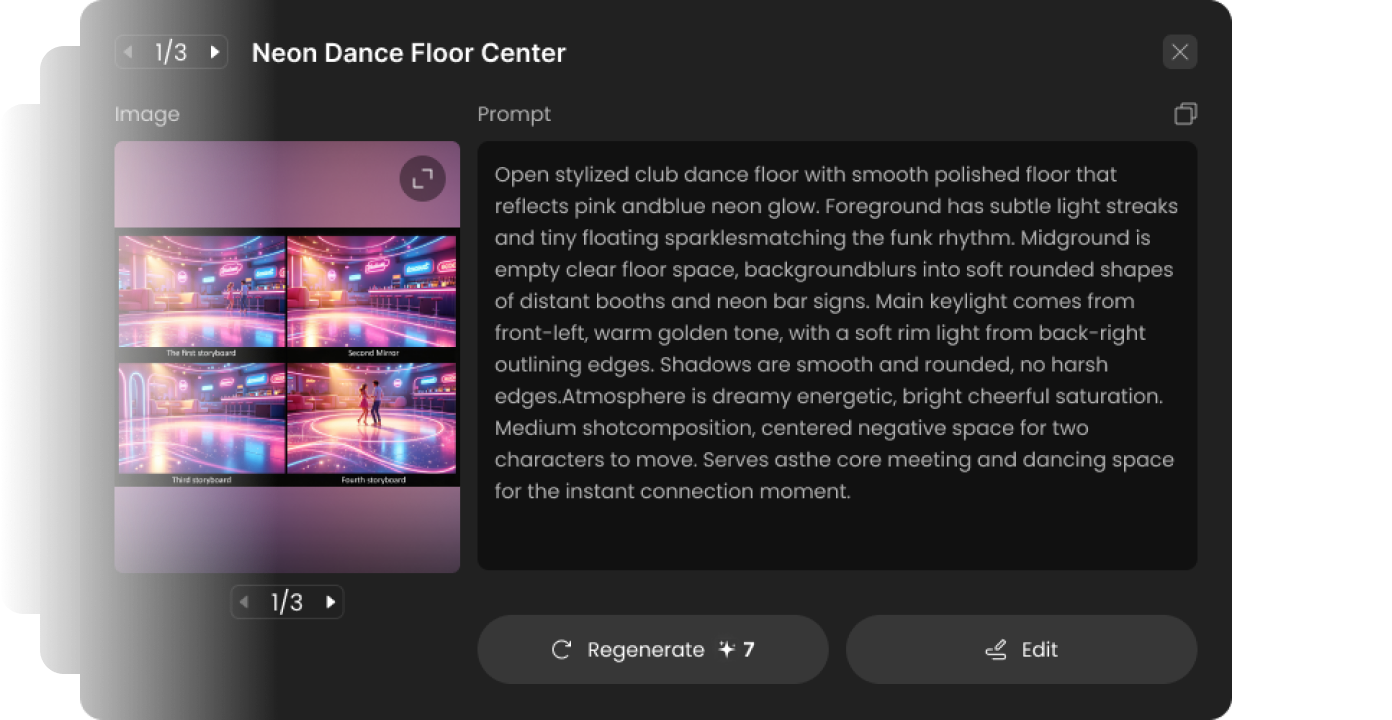
Constructing Scenes

Script Storyboarding

The AI creates detailed shot-by-shot prompts by combining the story, characters, and scenes. If any shot description is incorrect or unsatisfactory, you can edit or regenerate it.
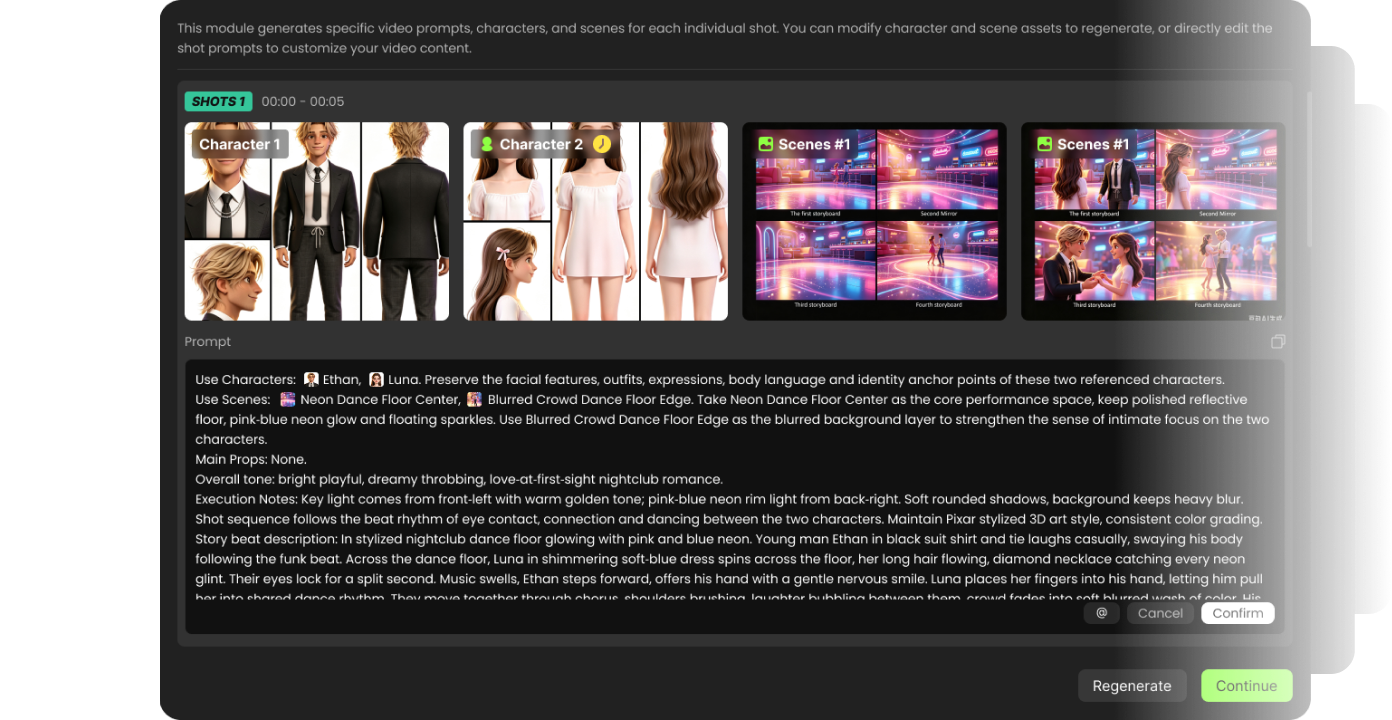
Script Storyboarding

Shot Rendering

Each shot is generated from the storyboard prompts and composed into the final music video. You can regenerate individual shots or make adjustments even after the final video is completed.
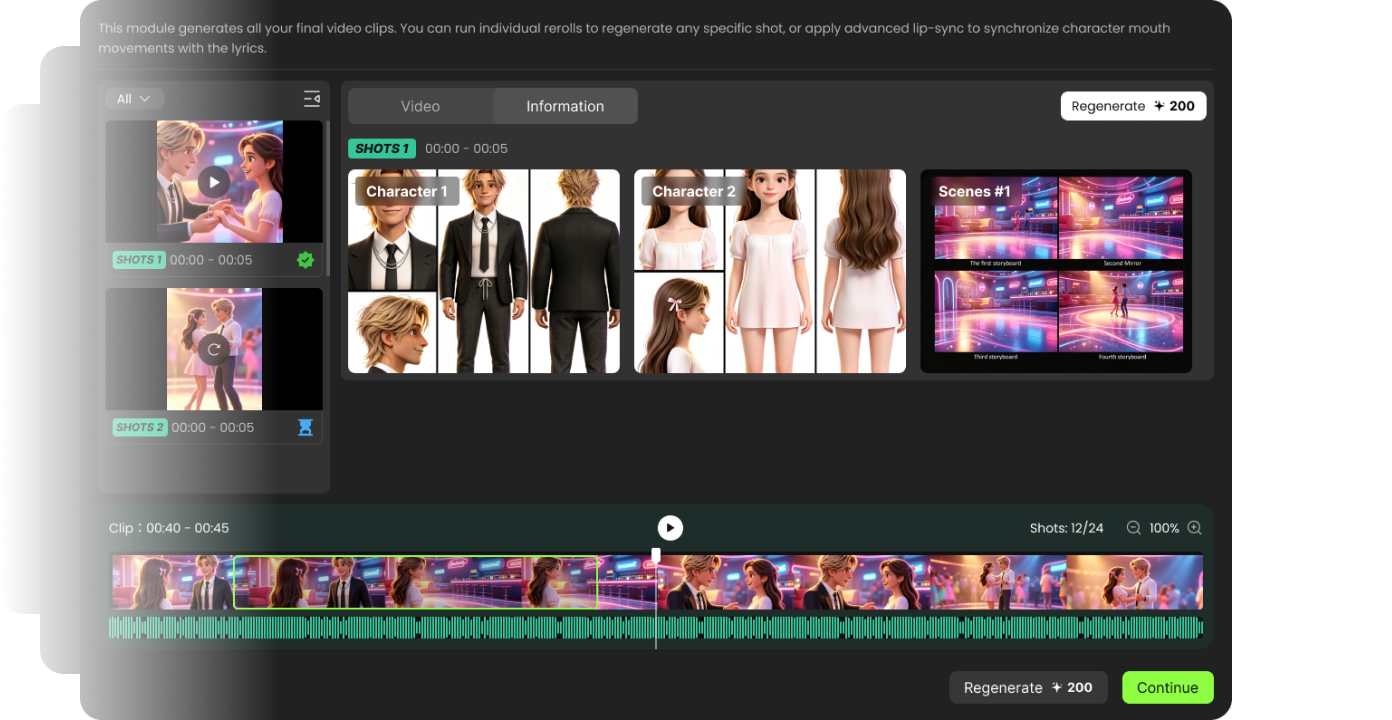
Shot Rendering

You can edit and regenerate any step at any time — even after the final video is completed.

Choose Your Creative Path

After preparation, the AI Director guides you through the following steps.

One - Click Generate

Fast and simple
Upload music & character Generate
Best for quick results

Director Mode

Fast and simple
Upload music & character Generate
Best for quick results

Choose Your Creative Path

Shape rhythm, imagery, and direction from one cinematic workspace.

Prompt-driven shots

Precisely control every shot with detailed prompts.

Character consistency

Keep characters stable and recognizable across the entire video.

Visual style presets

Apply cinematic styles quickly and maintain visual cohesion.