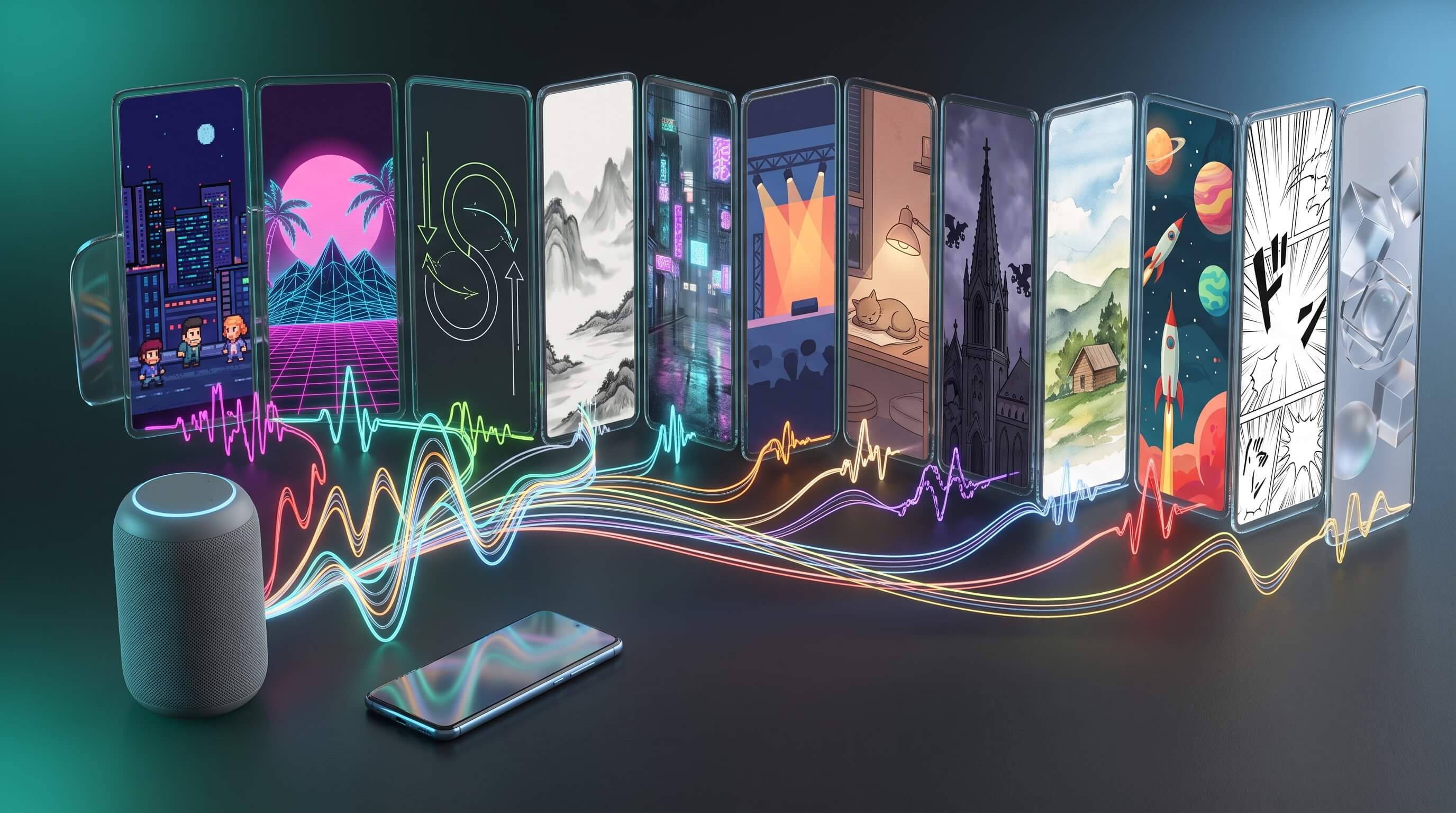
In 2026, the AI music video generator landscape has evolved dramatically. What was once a niche curiosity — glitchy visuals loosely matched to audio — has matured into a competitive market of tools that can produce genuinely compelling music videos from nothing more than an audio upload. For independent musicians, content creators, and labels alike, the question is no longer "can AI make a music video?" but "which AI music video maker is the right one for my needs?"
The answer, as with most creative tools, depends entirely on what you are trying to accomplish. Some platforms are general-purpose AI video generators that happen to work with music. Others, like FlyU.ai, are purpose-built for music-to-video generation with audio analysis and beat-synchronization engines that general tools simply lack. And then there are hybrid platforms that bundle AI video generation alongside traditional editing features.
In this comparison, I have tested and evaluated seven of the most prominent AI video tools available in mid-2026 — assessing each one specifically for music video creation. This is not a generic "top AI tools" list. Every tool here has been evaluated against criteria that matter for music content: beat-sync capability, visual style variety, AI model selection, export formats, and pricing. I will be honest about where each tool shines and where it falls short. No tool is perfect for everyone, and I will not pretend otherwise.
What to Look for in an AI Music Video Generator
Before diving into the individual tools, it is worth establishing what actually matters when choosing an AI music video maker. Not all features carry equal weight depending on your use case, but here are the five criteria I used to evaluate each platform:
Beat-sync capability. This is the single most important differentiator between a general AI video tool and one actually designed for music. True beat-sync means the platform analyzes your audio — detecting individual beats, tempo changes, song structure (verse, chorus, bridge), and dynamic shifts — then maps visual transitions and effects to those audio events. Without it, you are essentially overlaying randomly generated visuals onto a song and hoping for the best. The difference in the final result is night and day.
Visual style variety. A music video for a lo-fi hip-hop track looks radically different from one for an EDM festival anthem or a folk ballad. A good AI music video generator should offer enough stylistic range to match different genres and creative visions — from photorealistic cinematic styles to anime, abstract art, and retro aesthetics.
AI model selection. Different generative AI models excel at different things. Some are better at photorealistic human motion, others at stylized animation, and others at cinematic composition. Platforms that integrate multiple models give you creative flexibility that single-model tools cannot match.
Export formats and platform support. If you are distributing content across TikTok (9:16 vertical), YouTube (16:9 widescreen), Instagram (1:1 square or 9:16 Reels), and Spotify Canvas (2.39:1 ultra-wide), you need a tool that handles all of these natively — not one that forces you to re-edit or crop after generation.
Pricing model. Free tiers, credit systems, monthly subscriptions — the pricing landscape varies widely. The right model depends on your volume: a musician releasing one video per month has very different needs from a social media creator generating daily content.
The 7 Best AI Music Video Generators in 2026
Here is my honest assessment of each tool, ordered by how well they serve music-specific video creation — not by overall brand recognition or market share.
1. FlyU.aiBest for Music-Specific Videos
Beat-Sync Engine7 AI Models25+ Visual StylesLip-SyncMulti-Platform ExportSpotify Canvas
FlyU.ai is the only platform in this comparison that was built from the ground up for music-to-video generation. This is not a general-purpose video tool with audio features bolted on — the entire product architecture revolves around audio analysis and music-driven visual generation. Its proprietary beat-sync engine achieves 99.2% accuracy in Pro Mode, detecting individual beats, tempo shifts, song sections, and dynamic events like drops and build-ups, then precisely mapping those events to visual transitions, camera movements, and scene changes.
What sets FlyU.ai apart technologically is its seven integrated AI models: Seedance 2.0 for hyper-realistic motion, HappyHorse for stylized character animation, Kling 3 for cinematic compositions, Veo3 for fluid visual storytelling, Sora 2 for Hollywood-quality scene generation, Gemini Omni for multimodal creativity, and Grok 1.5 for narrative-driven generation. Rather than being locked into a single model's aesthetic, you can choose the best engine for your genre and style — or let FlyU.ai auto-select based on your track's characteristics.
Beyond basic generation, FlyU.ai includes features specifically useful for musicians: Story Mode for multi-scene narrative videos, Concert Mode for live-performance-style visuals, phoneme-level lip-sync for vocal tracks, and a built-in lyric overlay engine. It also supports Spotify Canvas export at the native 2.39:1 aspect ratio, which is notably absent from most competitors. FlyU.ai offers a free tier (15-second video, no credit card required) with paid plans starting at $19.9/month.
Strengths
- Purpose-built for music — not a repurposed general tool
- Highest beat-sync accuracy in the market (99.2% Pro)
- Seven AI models to choose from or auto-select
- Free tier with no credit card required
- Native multi-platform export including Spotify Canvas
Limitations
- Specialized for music — not the best choice for non-music video projects
- No traditional timeline editor (it is generation-first, not editing-first)
- Newer brand compared to established names like Runway
2. RunwayBest for Creative Professionals
Gen-4.5 ModelAPI AccessFilm Festival EcosystemResearch-BackedMulti-Track Timeline
Runway is arguably the most recognized name in AI video generation, and for good reason. Its Gen-4.5 model produces some of the most visually sophisticated AI-generated footage available today, with impressive temporal consistency and a cinematic quality that appeals to professional filmmakers and agencies. Runway's research pedigree — the company has published extensively on generative video models — gives it credibility that few competitors can match. Its API access also makes it the go-to choice for developers building custom video pipelines, and the annual AI Film Festival has cultivated a genuine creative community around the platform.
For general video generation from text or image prompts, Runway is excellent. Its multi-track timeline editor gives creative professionals fine-grained control that generation-only platforms lack. However, when evaluated specifically for music video creation, Runway has a fundamental limitation: it has no native audio analysis or beat-sync capability. You can upload audio alongside your prompts, but the model does not analyze the audio to synchronize visuals. Any timing alignment between your music and the generated footage is purely coincidental — or requires manual editing in the timeline afterward. For filmmakers willing to do that manual work, Runway remains a powerful tool. For musicians who want AI to handle synchronization automatically, it is not the strongest option. Pricing starts at $15/month for the Basic plan.
Strengths
- Exceptional visual quality from Gen-4.5 model
- API access for custom integrations
- Strong creative community and film festival
- Multi-track timeline for manual fine-tuning
Limitations
- No native audio analysis or beat-sync
- Pricing can escalate quickly for high-resolution output
- Oriented toward filmmaking, not music-specific workflows
3. CapCutBest for Social Media Creators
FreeMassive Template LibraryDesktop + MobileAI Video GenerationAuto-Captions
CapCut, owned by ByteDance (the company behind TikTok), has become the default video editor for millions of social media creators — and for good reason. It is completely free at its core, with a template library that numbers in the hundreds of thousands. If you need to quickly create a TikTok, Reel, or Short with AI-generated visuals, CapCut's built-in AI video generation can produce serviceable results with minimal effort. The desktop and mobile apps are polished, and the auto-caption feature is among the best in the industry.
However, CapCut's AI video generation is fundamentally an add-on feature to an editing platform — not the core product. The AI generation quality is decent but not on par with dedicated tools like Runway or FlyU.ai. More importantly for music creators, CapCut lacks any meaningful audio analysis. There is no beat detection that drives visual generation; the AI simply generates footage based on your text prompt, and you manually place it on the timeline alongside your music. The template library is heavily oriented toward vlog-style content, trending formats, and meme-driven edits — useful for social media, less so for creating a cohesive music video with narrative or artistic intent. That said, for creators who primarily post short-form content and want a free, all-in-one editing and AI generation tool, CapCut is hard to beat.
Strengths
- Completely free core product
- Enormous template library for social formats
- Seamless TikTok integration
- Excellent auto-captions and text tools
Limitations
- AI video generation is an add-on, not the core product
- No audio analysis or beat-sync for AI generation
- Visual quality lags behind dedicated AI video tools
4. PikaBest for Quick Experimental Videos
Pika 2.5PikaffectsFast GenerationFun EffectsImage-to-Video
Pika has carved out a distinct niche with its playful, experimental approach to AI video. Pika 2.5 generates short clips quickly — typically in 10 to 20 seconds — and the platform's signature Pikaffects feature (effects like "inflate," "melt," "crush," and "explode") makes it genuinely fun to use. For creators who want to experiment with AI-generated visuals and are not necessarily producing a polished music video, Pika is an enjoyable and low-friction entry point into AI video generation.
The trade-off is clear: Pika is optimized for short, standalone clips, not for full-length music videos. There is no beat-sync or audio analysis capability — you can add audio after generation, but the visuals are not driven by the music. Pikaffects, while entertaining, produce a fairly recognizable "Pika look" that may not suit every artist's brand. For a quick, eye-catching visual loop for social media or a fun experimental piece, Pika works well. For a cohesive, professionally synchronized music video, it is not designed for that use case. Pricing starts at $10/month for the Standard plan.
Strengths
- Fastest generation speeds among competitors
- Unique, fun effects (Pikaffects) with creative appeal
- Low learning curve and accessible interface
- Good for experimental and social-first content
Limitations
- Limited to short clips — not suitable for full music videos
- No music-specific features or audio analysis
- Pikaffects aesthetic is recognizable and may feel repetitive
5. VEED.ioBest All-in-One Online Editor
AI AvatarsAuto-SubtitlesScreen RecordingFull Web EditorBrowser-Based
VEED.io positions itself as a comprehensive online video editing platform with AI features woven throughout — and on that front, it delivers. It is entirely browser-based (no installation required), and its suite of tools covers a remarkably broad range: AI avatar generation, automatic subtitles with high accuracy, screen recording, video trimming and merging, background removal, and a basic AI video generator. For creators who need to produce a variety of video content — not just music videos — in a single browser tab, VEED is a strong contender.
The catch for music creators is that AI video generation is one feature among dozens in VEED's ecosystem, and it does not receive the focused development attention that a dedicated AI music video platform gets. There is no beat-sync engine, no audio analysis driving the visuals, and no music-specific generation modes. VEED's AI avatars and subtitles are genuinely useful, but they serve a different purpose — corporate videos, educational content, social media commentary — rather than artistic music video creation. If you need an all-in-one online editor and occasionally want to generate AI visuals to place alongside your music, VEED works. If your primary goal is generating a synchronized music video from an audio file, specialized tools will serve you better. Pricing from $18/month for the Basic plan.
Strengths
- Comprehensive browser-based editing suite
- Excellent auto-subtitle engine
- No installation — works entirely in the browser
- Good for mixed content types beyond music
Limitations
- AI video generation is one feature among many, not the focus
- No beat-sync or audio-driven generation
- AI generation quality is adequate but not top-tier
6. InvideoBest for Marketers and Ads
Agent One WorkflowScript-to-VideoBrand KitsVoice CloningAd Templates
Invideo has pivoted aggressively toward AI-driven video creation with its Agent One workflow, which uses an AI agent to generate videos from a simple text description. You describe what you want — a product demo, a social ad, a tutorial — and Invideo's agent assembles a video with AI-generated footage, stock media, text overlays, and voiceover. For marketers, this is genuinely useful. The brand kit feature ensures visual consistency across campaigns, and the voice cloning capability lets you maintain a consistent narrator across videos without re-recording.
Invideo's strengths are firmly in the marketing and advertising domain. Its script-to-video pipeline is optimized for converting written copy into video ads, explainers, and social promos — not for creating artistic music videos. There is no audio analysis engine, no beat-sync, and no music-specific generation presets. You can certainly add a music track to an Invideo project, but the visuals will not respond to the music dynamically. For a brand manager producing a campaign that happens to include a soundtrack, Invideo is excellent. For a musician who wants AI-generated visuals synchronized to their song, it is the wrong tool for the job. Pricing from $20/month for the Plus plan.
Strengths
- Excellent AI agent workflow (Agent One) for marketing videos
- Brand kit for consistent visual identity
- Strong script-to-video conversion
- Voice cloning for consistent narration
Limitations
- Focused on marketing and ads, not music video creation
- No audio analysis or beat-sync capability
- Visual generation is template-driven rather than generative from scratch
7. PictoryBest for Content Repurposing
Blog-to-VideoLong-Form to ClipsAuto-CaptionsAI VoiceoverStock Library
Pictory is built around a specific value proposition: turning existing text content into video. Its blog-to-video feature automatically converts articles into short videos with AI-generated visuals, voiceover, and captions. Its long-form-to-clips feature extracts highlights from webinars, podcasts, and talks and repackages them as social-ready shorts. For content marketers and bloggers who want to extend their reach into video platforms without learning video production, Pictory solves a real problem efficiently.
However, Pictory is not designed for music video creation and makes no claims to be. It has no audio analysis capabilities — the AI does not "listen" to music to generate responsive visuals. Its visual generation relies primarily on a stock media library rather than generative AI, which means the footage is pre-existing clips matched to your content rather than visuals uniquely generated for your audio. For repurposing blog posts or podcast episodes into video snippets, Pictory is genuinely useful. For creating an original, synchronized music video from a song, it is fundamentally the wrong category of tool. Pricing from $23/month for the Starter plan.
Strengths
- Excellent blog-to-video and content repurposing features
- Good for extracting social clips from long-form content
- Auto-captions and AI voiceover are solid
Limitations
- Not designed for music video creation whatsoever
- Relies on stock media library, not generative AI visuals
- No audio analysis or beat-sync features
Head-to-Head Comparison: At a Glance
| Tool | Best For | Beat Sync | AI Models | Free Tier | Starting Price | Music-Specific Features |
|---|---|---|---|---|---|---|
| FlyU.ai | Music-specific videos | Yes (99.2%) | 7 models | Yes | $19.9/mo | Beat-sync, lip-sync, lyric overlay, Story Mode, Concert Mode, Spotify Canvas |
| Runway | Creative professionals | No | 3 models | Limited credits | $15/mo | None native — manual timeline editing |
| CapCut | Social media creators | No | 1 model | Yes (generous) | Free | Auto-captions, template matching |
| Pika | Quick experimental videos | No | 1 model | Yes (limited) | $10/mo | None — short clip generation only |
| VEED.io | All-in-one online editing | No | 1 model | Yes (watermarked) | $18/mo | Auto-subtitles, AI avatars |
| Invideo | Marketers and ads | No | 1 model | Yes (limited) | $20/mo | Script-to-video, brand kits, voice cloning |
| Pictory | Content repurposing | No | N/A (stock library) | Free trial | $23/mo | None — text-to-video repurposing Key Takeaway |
FlyU.ai is the only tool in this comparison with native beat-sync technology and music-specific generation features. Every other platform is either a general-purpose AI video generator or a broader editing suite with AI features added on. If your primary goal is creating a synchronized music video from an audio file, the specialized approach delivers fundamentally different results.
Which AI Music Video Generator Should You Choose?
After testing all seven tools, the answer is clear — but it depends entirely on what you are trying to accomplish. There is no single "best" tool for everyone. Here is my honest decision framework:
If you are making music videos specifically
- Choose FlyU.ai. It is the only platform purpose-built for music-to-video generation, with beat-sync technology that general-purpose tools simply do not have. The seven integrated AI models give you creative range that single-model platforms cannot match, and the music-specific features — lip-sync, lyric overlay, Story Mode, Concert Mode, Spotify Canvas export — address real musician needs. The free tier means you can test it without commitment. It is not the best tool for editing corporate videos or generating text-to-video ads, but for music video creation specifically, the specialized approach wins.
If you need a general-purpose creative video tool
- Choose Runway. Its Gen-4.5 model produces stunning visuals, and the multi-track timeline gives you professional-level control. Just be prepared to handle beat-matching and audio synchronization manually — Runway will not do it for you.
If you are a social media creator on a budget
- Choose CapCut. It is free, packed with templates, and integrates seamlessly with TikTok. The AI generation is not the best, but for quick, trend-driven social content, it is more than adequate.
If you want an all-in-one browser editor
- Choose VEED.io. It covers a lot of ground — editing, subtitles, avatars, recording — all in the browser. Useful if you produce diverse content types, less ideal if music videos are your primary focus.
If you are a marketer producing ads and promos
- Choose Invideo. The Agent One workflow and brand kit features are genuinely efficient for marketing video production. For music videos, look elsewhere — but for campaign content, it excels.
If you want quick experimental clips
- Choose Pika. Its speed and Pikaffects make it fun for experimentation and short social loops. Not a serious music video production tool, but a creative playground that occasionally produces something brilliant.
If you are repurposing text content into video
- Choose Pictory. It does one thing — convert text to video — and does it well. It is not an AI music video generator and should not be evaluated as one.
One final thought: do not overpay for features you will not use. If you are a musician who needs one great music video per month, a $20/month specialized tool that nails the beat-sync and visual quality is better value than a $15/month general tool that produces unsynchronized footage you then spend hours editing manually. Conversely, if you produce a wide variety of video content and music is only a small part of your output, a general-purpose editor with basic AI features might be the more practical choice. Match the tool to your actual workflow, not to the brand that has the most name recognition.
The Bottom Line
The AI music video generator market in 2026 is more capable than ever — but it is also more fragmented. The seven tools in this comparison span a wide spectrum: from specialized music-to-video platforms to general-purpose AI generators to all-in-one editing suites. Each serves a different creator profile, and the "best" tool is the one that aligns with your specific content goals and workflow.
For music creators specifically — independent artists, producers, bands, DJs, and labels — the specialized approach of FlyU.ai delivers results that general-purpose competitors cannot replicate. Beat-sync, audio-driven generation, and music-native features are not nice-to-haves; they are the difference between a video that feels like a music video and one that feels like stock footage set to a song. In a crowded content landscape, that difference matters. Try a few tools — most offer free tiers — and see which one fits your creative process. The right tool is the one you will actually use.
Editorial note: The FlyU Editorial Team tests and reviews AI creative tools with a focus on music and video generation. We evaluate every tool hands-on and disclose our affiliation with FlyU.ai transparently. Our reviews prioritize honesty over promotion — we believe the right tool for you depends on your specific needs, and we will tell you when another platform is a better fit.