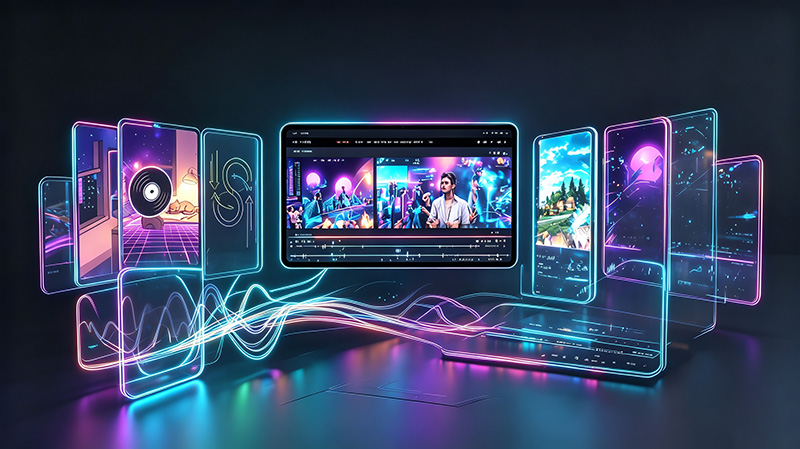
AI music video tools have exploded since 2024, and the list of options now spans general video models, lyric editors, and dedicated music-video platforms. Choosing the best AI music video generator depends on one question: do you want to assemble scenes manually, or do you want a tool that builds the whole video from your song?
This guide compares ten tools across the criteria that actually matter for music videos: beat sync, lip-sync, visual styles, ease of use, and price. The comparison table at the end sums it up.
How We Tested
We evaluated each tool on its free or trial tier, generated a test music video from the same source track, and scored sync accuracy, workflow time, export quality, and price. Feature lists were re-verified against each product in July 2026, so pricing and model lineups reflect current state. Rankings favor tools that produce a finished video, not just clips.
How We Compared Them
A genuinely useful AI music video generator needs four things:
- Beat sync, so cuts and effects land on the rhythm instead of drifting.
- Lip-sync, so a character on screen matches the vocals.
- Visual variety, because a tool with one look limits you to one kind of video.
- Clean export, in the aspect ratios each platform needs.
We weighed these more heavily than raw video quality, because a perfectly rendered clip with no beat sync still looks like a random video, not a music video.
The 10 Best AI Music Video Generators
1. FlyU.ai — Best All-in-One for Music Videos
FlyU is built specifically for music videos, not general AI video. It auto-detects the beat and song structure, then produces a complete video with scenes, lyrics, and effects. Its 6 integrated AI models cover motion and rendering, and it ships 25+ visual styles plus automatic lip-sync. Lite and Pro modes split fast previews from controlled generation, and a Director Studio handles artists who want scene-by-scene control. In our test, a full video from upload to export took about 20 minutes.
2. Runway — Best for Raw Video Quality
Runway runs the Gen-series models and produces high-fidelity footage. It is powerful for cinematic shots, but it is a general video tool: you build a music video by generating clips and assembling them yourself. Expect great frames and more manual assembly than a dedicated tool.
3. Kling — Best for Realistic Motion
Kling is known for natural, physically accurate motion, which helps with character shots. It is excellent when realism is the priority, but beat sync and lyric overlays are not its focus, so plan to handle timing in an editor.
4. Kaiber — Best for Stylized Music Visuals
Kaiber is one of the longest-running music-video-focused tools and offers strong animated, painterly styles. It is a good choice for artists who want a signature aesthetic, though its model lineup is smaller than the newer platforms.
5. Pika — Best for Quick Playful Clips
Pika is fast and fun, great for short vertical clips and experiments. It is less suited to a full song-length video with precise sync, but it is a handy second tool for teasers.
6. Luma Dream Machine — Best for Cinematic Motion
Luma's Dream Machine produces smooth, cinematic motion from a prompt or image. It shines for dreamlike sequences, and like Runway it works best when you assemble the final edit elsewhere.
7. VEED.io — Best for Lyric Videos and Editing
VEED is a browser editor with strong subtitles and lyric timing, plus some AI video features. If you already edit videos and want lyric overlay, it is a comfortable fit, though it is not a full music-video generator on its own.
8. Canva — Best for Beginners
Canva added AI video generation to its design suite. For a quick lyric-style video or a simple animated visual, it is approachable and cheap. Power users will hit its limits on sync and style control.
9. CapCut — Best Free Option for Effects
CapCut is free and popular for short-form editing. Its AI tools and effects are solid for cutting clips, but true beat-synced generation from a full song is not its strength. Great as a finishing editor.
10. Neural Frames — Best for Audio-Reactive Abstracts
Neural Frames turns audio into audio-reactive abstract visuals in real time. It is superb for a specific aesthetic and for live performance visuals, but it does not produce narrative music videos with characters or lyrics.
Comparison Table
| Tool | Music Video Focus | Beat Sync | Lip-sync | Visual Styles | Best For |
|---|---|---|---|---|---|
| FlyU.ai | Yes | Automatic | Automatic | 25+ | Full videos from a song |
| Runway | Partial | Manual | Manual | High-fidelity | Cinematic clips |
| Kling | Partial | Manual | Partial | Realistic | Character motion |
| Kaiber | Yes | Manual | No | Stylized | Signature aesthetics |
| Pika | Partial | Manual | No | Playful | Quick vertical clips |
| Luma | Partial | Manual | No | Cinematic | Dreamlike sequences |
| VEED.io | Partial | Manual | No | Subtitles | Lyric overlays |
| Canva | Partial | Basic | No | Templates | Beginner projects |
| CapCut | Partial | Manual | No | Effects | Short-form editing |
| Neural Frames | Yes | Automatic | No | Abstract | Live visuals |
Bottom line: if you want a finished music video from your song, FlyU.ai is the only tool here that does the whole job. The others are better treated as clip generators or editors that you assemble elsewhere.
How to Choose
Ask two questions. First, do you want one tool to go from song to video? If yes, a dedicated generator like FlyU fits. Second, is your priority raw footage quality over a finished video? If yes, pair a model like Runway or Kling with an editor and handle the sync yourself.
Also consider your release volume. An artist publishing every month will see more value in a single workflow than a creator making occasional teasers, who may be better served by a free editor like CapCut.