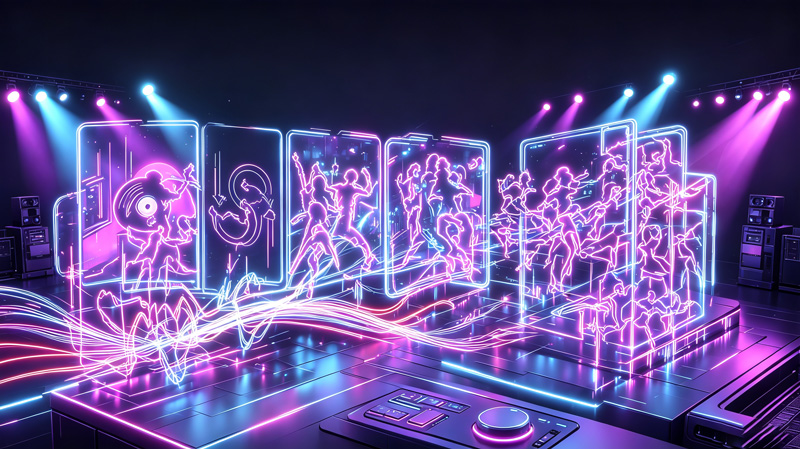
K-Pop music videos are the most expensive music videos in the world. A flagship Korean pop MV can run from $200,000 to well over a million dollars, with months of choreography, a full set design, and a wardrobe budget that out-earns most independent albums. That production value is the genre's calling card — and also why, until recently, the K-Pop aesthetic was off-limits to anyone outside a label.
That changed with AI video generation. In 2026 you can make a video that reads as K-Pop — high-energy performance scenes, a consistent member lineup, neon set design, and flash cuts that land on the beat — from a single song, in under an hour, for the cost of a free tier. This guide walks through the exact workflow and the two features that make it convincing: concert-mode performance and member consistency.
How This Guide Was Written
We generated test K-Pop music videos on FlyU's free tier from a real track, tested multi-member consistency with reference photos, and verified concert-mode behavior against the live product. Steps below are ordered to avoid the failure points we hit during testing.
Why K-Pop MVs Set the Standard
The K-Pop music video became the global template for a reason. It packages three elements that other genres treat as optional:
- Performance. The video is built around performers on a stage, not just imagery. The artist is the center of the frame and the movement carries the energy.
- Flash cuts. The edit is fast, rhythmic, and choreographed to the song. Scenes rarely hold for more than a few seconds, and every cut lands on a beat.
- Worldbuilding. K-Pop MVs build a distinct visual world per release — a neon club, a desert, a retro arcade — so each video is recognizable at a glance.
The K-Pop MV Formula
If you want the aesthetic to read as authentic, hit these conventions:
- Members, not one protagonist. A group — two to six consistent performers — gives the video the ensemble energy that solo formats lack.
- A performance spine. Even with story scenes, the MV needs a stage or performance thread running through it. That is what makes it a K-Pop video rather than a film.
- Neon and saturated color. The palette leans toward electric, high-contrast lighting. A dim, desaturated look reads as indie, not K-Pop.
- Beat-driven editing. The cut rhythm mirrors the percussion. The drop is the emotional center and gets the most aggressive cuts.
How to Make a K-Pop Music Video with AI: The 6-Step Process
This workflow takes about 20 to 45 minutes. It assumes a full-workflow generator like FlyU's K-Pop music video generator, but the principles transfer to any capable tool.
Step 1
Upload Your Track
Export a clean master as MP3 or WAV. The edit rhythm follows the percussion, so use the final mastered version — a clipped or distorted file produces cuts that feel random. For a K-Pop feel, the bridge and the drop are the moments you want the AI to hit hardest.
Step 2
Choose a K-Pop or Concert Style
Pick a style built for the genre. FlyU's style library includes K-Pop and concert-scene aesthetics alongside its other 25+ looks. A dedicated K-Pop style carries the neon palette and saturated grade; a concert style adds the stage and crowd energy.
Step 3
Build Your Member Lineup
Upload a reference photo for each member — a photo, a generated character, or a stylized portrait. The tool locks each face and outfit across every scene, so a four-member group stays consistent from the first cut to the last. This step is what separates a real ensemble video from a slideshow of random characters.
Step 4
Use Concert Mode for Performance Realism
Switch to a concert or performance mode so the AI designs a lead performer, backing band, and stage, then animates them with camera moves. This generates the live-show spine that makes the video read as K-Pop rather than a stylized lyric video. It is the closest thing AI offers to a choreographed performance.
Step 5
Let Beat Sync Drive Flash Cuts
Enable automatic beat sync so cuts and camera moves land on the percussion. For K-Pop, the strongest results come from letting the engine generate rapid, rhythmic cuts through the drop and the chorus — it mimics the editing language of the genre's flagship videos.
Step 6
Export and Publish
Download 16:9 for YouTube or 9:16 for TikTok, Shorts, and Reels. Render a quick preview pass first to check member consistency and sync, then produce the final export. Multi-platform export is standard, so one generation covers every feed.
Concert Mode & Performance: The Difference Maker
Most AI video tools can generate a pretty scene. Very few can generate a performer. That is the distinction that matters for K-Pop.
Concert mode changes the generation from "scenery" to "stage." The AI designs a lead vocalist, a backing band, and a stage environment, then moves the camera and cuts the shots as if filming a live show. Add the reference-image member lineup, and you get a group performing on stage rather than a set of separate character shots stitched together.
For full scene-by-scene control — which member is on camera at the drop, how the stage moves through the bridge — pair the workflow with a director-style mode that lets you adjust pacing and composition manually. Most artists run a quick automatic pass first, then refine the two or three moments that matter most.
Traditional K-Pop Production vs AI
| Criterion | Traditional K-Pop MV | AI K-Pop MV Generator |
|---|---|---|
| Budget | $200,000 to $1M+ | Free tier or under $30/month |
| Time | Months of planning, choreography, shooting | 20 to 45 minutes |
| Performer | Trained artists and dancers | AI-designed performers from reference photos |
| Choreography | Rehearsed routines | Beat-synced motion and camera moves |
| Sets | Built, rented, and dressed | Generated from a style choice |
| Consistency | Physical performers, naturally consistent | Reference-image locking per member |
| Best for | Flagship label releases | Independent releases, fan content, quick turnarounds |
Bottom line: if your goal is a high-energy, performance-driven music video for your own track, an AI workflow produces it in under an hour with a consistent member lineup and beat-driven edits. Traditional production remains the standard only for flagship releases where a real choreography routine and a physical set are non-negotiable.
Common Mistakes to Avoid
These are the failure points we saw most often while testing K-Pop music video workflows.
- Skipping member reference photos. Without them, faces drift between scenes and the ensemble reads as a cast of strangers. Lock every member before generating.
- Forgetting the performance spine. A K-Pop video needs a stage or performance thread. Purely scenic shots read as an anime or indie film, not K-Pop.
- Ignoring the drop. The drop is the emotional center. If beat sync is off there, the video loses the genre's signature punch.
- Dim, desaturated color. The genre runs on neon and saturated light. A muted grade instantly reads as a different genre.
- Overloading with text. Keep title cards and lyrics minimal. The performance is the content; text competes with it.