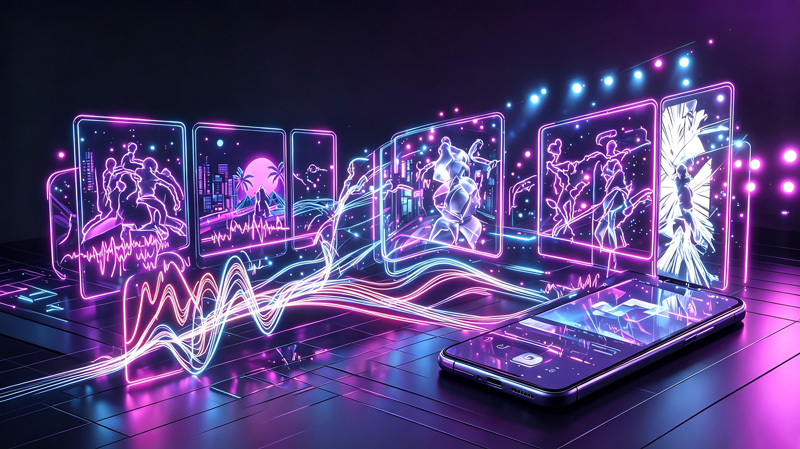
K-Pop music videos are the most produced music videos in the world — not because every artist has a label budget, but because the genre's visual language rewards precision, color, and choreography. In 2026, an AI k-pop music video generator gives independent artists the same neon-staged, beat-synced aesthetic that used to require a production team and a six-figure budget. You upload a song, pick a K-Pop visual style, and the AI generates a vertical or widescreen video with choreography-matched cuts in minutes.
This guide walks through the full process, the styles that actually look like K-Pop, and how to get results that hold up next to label releases.
Why K-Pop and AI Music Video Generation Fit Together
K-Pop video production is defined by a set of visual rules: synchronized group shots, fast cutting on the beat, saturated color palettes, dramatic lighting, and a clear "center" performer. These rules are exactly the kind of structured patterns that AI video models handle well. Unlike photorealistic videos where a slightly wrong hand or face reads as broken, K-Pop's stylized, high-energy framing tolerates — and often benefits from — bold AI-generated motion.
The practical payoff is cost. A label K-Pop MV typically costs $100,000 to $500,000 and involves a multi-day shoot, a choreography team, and weeks of editing. An AI-generated K-Pop-style video runs on a subscription measured in dollars per video. The visual language won't be identical to a filmed group performance, but for singles, teasers, and social content it is close enough to be professionally usable.
The K-Pop Visual Styles You Can Generate in 2026
The single most important creative choice is the visual style. AI k-pop music video generators offer a set of styles tuned to the genre's aesthetic. At FlyU.ai, the relevant options include:
| Style | Look | Best For |
|---|---|---|
| Anime Bloom | Soft pastels, dreamy glow, stylized characters | Ballads, emotional tracks |
| Cyberpunk Neon | Neon signs, dark streets, saturated color | Pop, electronic, dance |
| Anime / Manga Motion | Comic-panel cuts, bold outlines | Fast, upbeat tracks |
| Sci-Fi Cosmos | Glowing gradients, futuristic staging | Boy-band / girl-group anthems |
| Dark Fantasy | High contrast, dramatic lighting | Dark, powerful concepts |
Each style changes the entire rendering — not just a color filter but the camera language, the pacing, and the way characters move. A dance-heavy K-Pop track run through Cyberpunk Neon generates rapid neon-lit cuts that feel like a stage performance. The same track in Anime Bloom produces soft, romantic visuals better suited to a ballad.
How to Make a K-Pop Music Video with AI: Step by Step
Step 1: Prepare a clean audio file
Start with the highest-quality master you have. The AI analyzes the audio to map BPM, song structure, and energy — so a clean mix directly improves beat sync. Export as WAV or FLAC at 320 kbps or higher. If your song was produced in a DAW, export the final mix rather than a compressed preview.
Step 2: Choose a K-Pop-oriented AI music video tool
Pick a generator that supports the vertical and widescreen ratios K-Pop content lives on, and that actually analyzes audio rather than layering random visuals. FlyU.ai's K-Pop workflows pair its 99.2% beat-sync engine with genre-tuned styles. General-purpose tools like Runway or Pika generate video from prompts but don't detect beats, which is why their output rarely feels like a music video.
Step 3: Select your style and sync intensity
Match the style to the mood of the track:
- High-energy dance track → Cyberpunk Neon or Manga Motion with high sync intensity. Fast cuts, saturated bursts, camera shake that scales with the drop.
- Mid-tempo pop → Anime or Sci-Fi Cosmos with medium intensity. Clean transitions on the downbeat, stable framing.
- Ballad → Anime Bloom or Dark Fantasy with low intensity. Slow pans, gentle fades, color shifts on chord changes.
Step 4: Add a character with photo-to-anime
One feature separates a generic AI MV from a K-Pop one: a consistent performer. FlyU.ai's photo-to-anime conversion turns a portrait photo into a stylized character that appears throughout the video as the protagonist, with phoneme-level lip-sync to your vocals. This gives you a K-Pop-style "center" — the artist avatar that carries the visual performance.
Step 5: Generate and export for every platform
Run the generation, review the first cut, and regenerate if the sync or style misses. Then export natively: 9:16 for TikTok, Reels, and Shorts; 16:9 for YouTube; 1:1 for Instagram Feed; and 2.39:1 for Spotify Canvas. One generation produces all formats without re-rendering.
Pro Tips for a Convincing K-Pop Look
Open with the hook. K-Pop teasers front-load the strongest visual. Configure the generator to place the most intense moment in the first two seconds — that is what stops the scroll.
Match choreography cues to the beat. In high sync intensity, cuts land on the kick and snare. If your track has a choreographed breakdown, generate that section separately so the visual energy peaks where the dance does.
Keep the "center" consistent. Use the same uploaded photo for every video in a campaign. A consistent character across releases builds the recognizability that K-Pop branding depends on.
Test 2–3 styles per track. Generate the same song in three styles in under ten minutes, compare, and post the strongest. AI makes A/B testing visual identity nearly free.
Common Mistakes to Avoid
- Using a compressed audio file. Muddy low-end reduces beat-detection accuracy and visibly worsens sync.
- Cranking sync intensity on a ballad. High-intensity cutting on a slow track reads as frantic, not energetic.
- Skipping the character. A K-Pop video without a performer is a visualizer, not an MV. The photo-to-anime character is what makes it feel like K-Pop.
- Reusing one style for everything. Different tracks, moods, and platforms need different treatments.
Key Takeaways & Quick Checklist
- Export a clean master (WAV or FLAC, 320 kbps+)
- Match the style to the mood — Cyberpunk Neon for dance, Anime Bloom for ballads
- Set sync intensity to the genre — high for dance, low for slow tracks
- Upload a portrait so the photo-to-anime performer carries the video
- Review the drop: the visual transition must land exactly on the bass
- Export 9:16, 16:9, 1:1, and 2.39:1 from one generation
- Post the strongest teaser with a "save this sound" call to action
Follow these seven steps and a K-Pop-style AI music video that once required a label budget is within reach of a single afternoon's work. The pattern repeats across every release: clean audio in, styled performer out, every platform covered. The visual identity that kept K-Pop exclusive to major labels — neon staging, saturated color, beat-driven cuts — is now a default option for any artist with a finished track.