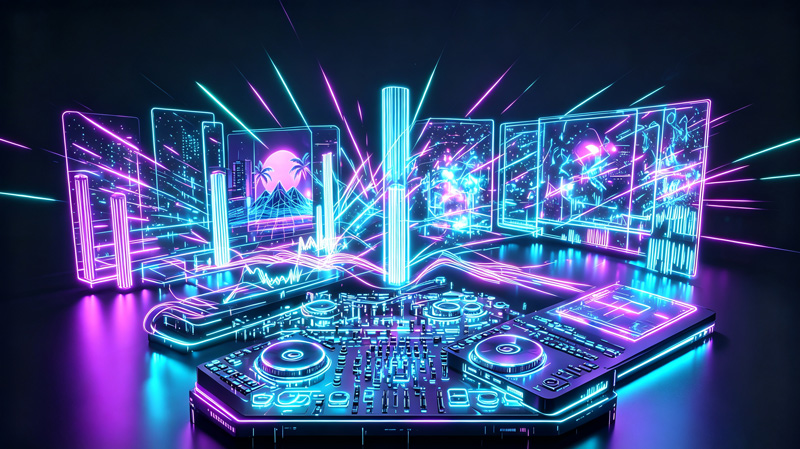
An EDM music video lives or dies on one thing: whether the visuals hit on the drop. The genre is engineered around tension and release — build-ups, breakdowns, and a bass drop that has to land at exactly the right millisecond. That precision is exactly what an AI edm music video generator is built to handle, because it analyzes the actual audio rather than guessing.
In 2026 you can take a finished track, feed it to an AI tool, and get a beat-synced EDM video with neon stages, strobe light patterns, and rapid-cut transitions — in about the time it takes to mix the track down. You need no set list, no lighting rig, no render farm. This guide walks through the workflow, the styles that actually read as "EDM," and how to get results that hold up next to a festival visual.
Why EDM and AI Video Generation Fit Together
EDM video is defined by structure, not story. A track has a predictable architecture: intro, build, drop, breakdown, second build, second drop, outro. Each block has an energy level and a number of bars. AI video models that analyze audio map that structure automatically and cut visuals to it — which is why drop-synced AI EDM videos look correct where a generic AI clip looks random.
The payoff is speed and repeatability. A filmed festival visual can cost thousands per minute and requires a 3D artist or a VJ crew for every show. An AI-generated EDM video runs on a subscription and comes out in minutes. And because the genre is so template-driven — bright, saturated, high-frame-rate motion — AI handles it well without the uncanny problems that plague photorealistic faces.
What the AI Detects in Your Track
A purpose-built EDM generator reads more than a beat. It detects:
- BPM across the often wide 60–200 range that EDM spans.
- Drop points — the strongest energy peaks where the kick, bass, and riser peak together.
- Build-ups and breakdowns — the gaps in energy that call for calmer or brighter visuals.
- Section boundaries — intro/verse/chorus/drop, so each block gets a distinct treatment.
FlyU.ai's beat-sync video generator reports 99.2% beat-sync accuracy in Pro Mode, with analysis typically taking around five seconds for a full-length track. That means the model isn't showing you a slideshow; it is matching each cut to an actual transient.
EDM Visual Styles You Can Generate in 2026
The most important creative decision is style. These are the EDM-tuned options that read as authentic dance music:
| Style | Look | Best For |
|---|---|---|
| Cyberpunk Neon | Neon signs, dark club floor, saturated color | Main-stage drops, club anthems |
| Laser Grid | Geometric laser patterns and haze | Techno, electro, drop-heavy tracks |
| Liquid Glitch | Flowing distortion, digital noise | Bass music, future bass, Dubstep |
| Anime Festival | Stylized crowd, floating lights | Vocal-driven, hands-up anthems |
| Cosmic Vaporwave | Sunset gradients, chrome, retro-render | Melodic progressive and trance |
Each style changes more than the palette — it changes camera language and pacing. Run the same track through Laser Grid and you get hard geometric cuts locked to the drum pattern. Switch to Cosmic Vaporwave and the same build becomes a smooth, slow color wash that swells into the drop.
How to Make an EDM Music Video with AI: Step by Step
Step 1: Export a clean master
Start with the highest-quality mix you have — WAV or FLAC at 320 kbps or higher. Beat and drop detection depend on a clean low-end. A compressed, muddy master will produce sync that drifts, because the model cannot find the kick's edge. Export the full mix plus any stereo master, not a preview.
Step 2: Choose a tool that reads audio
The tool has to analyze the song, not just render from a prompt. A prompt-only generator (Runway, Pika) gives you beautiful random motion that never lands on the drop. Pick a music-specific generator with a beat-sync engine and multi-drop support for extended mixes. FlyU.ai's EDM workflows pair its beat-sync engine with the over 25 styles on the platform.
Step 3: Match the style to the structure
Map style to the drop, then set sync intensity:
- Main drop → Laser Grid or Cyberpunk Neon at high intensity. Fast cuts, camera shake that scales with the kick.
- Breakdown → Cosmic Vaporwave at low intensity. Slow pans, color shifts on chord changes.
- Intro / outro → clean, minimal motion that sets up contrast for the drop.
Step 4: Choose your AI model
FlyU.ai exposes seven models, and the right one changes the look. For realistic festival staging, Kling and Seedance 2.0 handle camera movement well. For stylized, lower-uncanny EDM visuals, Veo and the anime-tuned models are strong. If you are unsure, use the auto-select recommendation — the model picks is tuned to your style.
Step 5: Generate, check the drop, regenerate
Generate the first cut, then fast-forward straight to the drop. The transition at 60–70% through should be unmistakable: the visual energy peaks exactly where the bass hits. If it is off by a beat, adjust sync intensity or switch the drop style, then regenerate. One bad drop is the difference between a video that reads as a music video and one that reads as a GIF.
Step 6: Export for every platform
EDM content lives across formats, so export natively: 9:16 for TikTok, Reels, and Shorts; 16:9 for YouTube; 1:1 for Instagram feed; and 2.39:1 for Spotify Canvas. One generation produces each format without re-rendering.
Pro Tips for a Drop-Ready EDM Video
Put your strongest visual in the first two seconds. EDM fans scroll fast. Front-load the most intense frame so the video opens mid-action, then resolve into the build.
Generate extra-length drops. For extended mixes with two or three drops, generate each drop section separately so the visual peaks exactly where each one lands, then stitch them together.
Keep one consistent palette across a release. Neon-laser EDM with one accent color reads as a coherent campaign. Changing the palette per track makes a discography feel like a mashup.
A/B test two styles per track. Generations run in minutes, so produce the same song in Cyberpunk Neon and Laser Grid, compare, and release the stronger one. AI makes visual A/B testing nearly free.
Common Mistakes to Avoid
- Using a compressed master. Muddy low-end breaks drop detection and the sync drifts visibly.
- Max sync on a melodic track. High-intensity cutting on a mid-tempo breakdown reads as frantic, not energetic.
- Ignoring the build. If the build has no visual ramp, the drop feels deflated. Give the breakdown space so the drop lands harder.
- Cranking the same style for every song. Different BPM ranges and moods need different treatments.
Conclusion
An AI edm music video generator turns the genre's most demanding requirement — a visual that lands exactly on the drop — into a default behavior. Clean audio in, a structure-matched style, the right sync intensity, and a single strong accent palette get you a festival-grade visual in minutes, for the cost of a subscription rather than a production budget. The rig that used to make EDM visuals exclusive to touring acts has been replaced by an analysis engine and a few well-chosen choices.