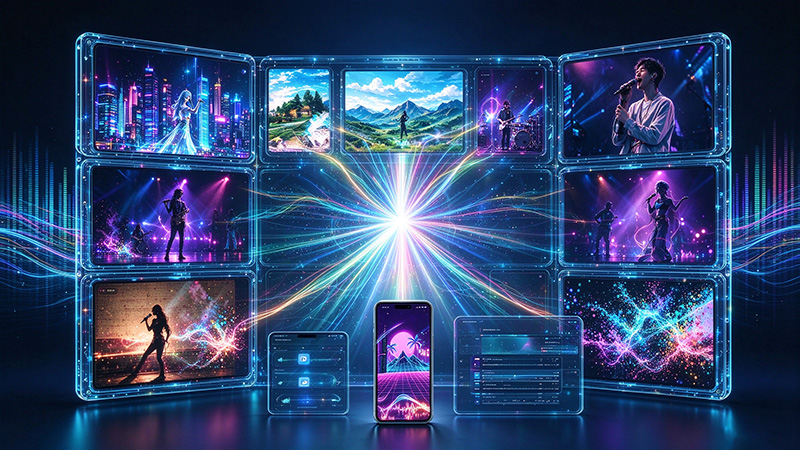
The visual style is the single most important creative decision in an AI music video. It is not a filter applied after the fact — it is the instruction set the AI follows from the first frame: the camera language, the character design, the color palette, the pacing, even the physics of the motion. Two styles on the same song produce two completely different videos. Choose well, and the style amplifies the music; choose badly, and it fights it.
This guide maps the common AI music video styles to the genres and moods they suit, and explains how to decide for your track.
How Styles Actually Work in AI Music Video Generation
When you pick a style on an AI music video generator, you are choosing a set of rendering rules. Cinematic tells the model to use filmic lighting and shallow depth of field. Anime tells it to use bold outlines and expressive color. Cyberpunk tells it to fill the frame with neon and rain. The model applies these rules consistently across every frame, which is why a good style makes a video feel coherent rather than like a collage of random clips.
Three properties matter when choosing a style:
- Mood match — Does the visual emotion fit the song's emotion?
- Genre convention — Does it look like what the audience expects for this genre?
- Sync behavior — Does the style support the sync intensity you need (rapid cuts vs. slow pans)?
The Main AI Music Video Styles
🎬 Cinematic
Filmic lighting, shallow depth of field, slow dramatic camera moves, realistic color grading.
Best for: Pop, rock, indie, and any track with a narrative or emotional arc. The safest default — it looks like a "real" music video.
🎨 Anime
Bold outlines, saturated color, stylized characters, expressive motion.
Best for: J-Pop, K-Pop, electronic, and tracks that want a fictional or stylized performer. Pairs with photo-to-anime character conversion.
🌃 Cyberpunk
Neon signs, rain-slick streets, high-contrast color, dense urban detail.
Best for: EDM, synthwave, dark electronic, hip-hop with a futuristic edge. High-energy and visually loud.
🌌 Sci-Fi Cosmos
Glowing gradients, cosmic backdrops, futuristic staging, floating geometry.
Best for: Electronic, ambient, and anthem-style tracks that want scale and grandeur.
🌀 Abstract
Soft gradient waves, morphing shapes, no characters, color-reactive motion.
Best for: Ambient, instrumental, and tracks where the audio is the star. Pairs well with high-sync visualizers.
🌊 Watercolor Dream
Hand-painted feel, soft pastels, gentle bleeding edges.
Best for: Ballads, indie folk, acoustic, and emotional tracks that want warmth and softness.
📷 Vintage Film
Film grain, faded color, 35mm warmth, subtle halation.
Best for: Lo-fi, retro, soul, and tracks that want an analog, nostalgic feel.
🎞️ Manga Motion
Comic-panel cuts, bold black outlines, onomatopoeic flashes.
Best for: Fast, upbeat tracks and content designed for short-form attention.
How to Choose a Style for Your Song
Match mood before genre. The strongest rule: the visual emotion should match the song's emotion. A melancholic ballad in neon cyberpunk looks wrong even if the artist "does electronic." Start with the feeling of the track, then refine with genre.
Consider the platform. Short-form platforms reward high-contrast, saturated styles that pop in a feed. YouTube full-length content can carry more subtle, atmospheric styles. A style that works at 9:16 in a feed may feel flat in a full 16:9 watch.
Test two or three styles per track. AI generation is cheap enough to make this practical. Generate the same song in three styles, compare them side by side, and keep the strongest. This is the fastest way to build a sense of which styles suit your catalog.
Check the sync behavior. Fast-cutting styles (Manga Motion, Cyberpunk) support high sync intensity. Slow styles (Watercolor Dream, Abstract) pair with low intensity. Match the style to the energy of the drop, not just the aesthetic.
Style × Genre Quick Reference
| Genre | Recommended Styles |
|---|---|
| Pop / Dance | Cyberpunk Neon, Sci-Fi Cosmos, Manga Motion |
| K-Pop / J-Pop | Anime, Anime Bloom, Manga Motion |
| Hip-Hop / Rap | Cyberpunk Neon, Dark Fantasy, Vintage Film |
| Lo-Fi / Chill | Lo-Fi Sunset, Watercolor Dream, Abstract |
| Indie / Folk / Acoustic | Watercolor Dream, Vintage Film, Cinematic |
| EDM / Electronic | Cyberpunk Neon, Sci-Fi Cosmos, Abstract |
| Ambient / Classical | Abstract, Sci-Fi Cosmos, Cinematic |
| Rock / Metal | Dark Fantasy, Vintage Film, Cinematic |
Common Style Mistakes
- Picking a style before listening to the song. The mood has to lead.
- Using a loud style for a quiet song. Saturation and speed should match energy.
- Reusing one style for an entire catalog. Repeated visuals blend together and lose identity.
- Ignoring the platform ratio. A style tuned for vertical feeds may not translate to a full 16:9 watch.
Key Takeaways & Quick Checklist
- Start with the song's mood before picking a style
- Match genre conventions — anime for J-Pop, cyberpunk for EDM, watercolor for folk
- Check sync behavior — fast styles with high intensity, slow styles with low
- Test 2–3 styles on the same track and compare
- Consider the platform — high-contrast for feeds, subtle for full watches
- Avoid reusing one style across an entire catalog
The style is the instruction set the AI follows frame by frame — camera, character, color, pacing, and physics together — so a deliberate choice is the highest-leverage creative decision in an AI music video. The best way to build judgment is to generate the same song in several styles and compare them side by side; after a few tracks you will know your catalog's visual identity without thinking about it. Test, compare, and let the mood lead.