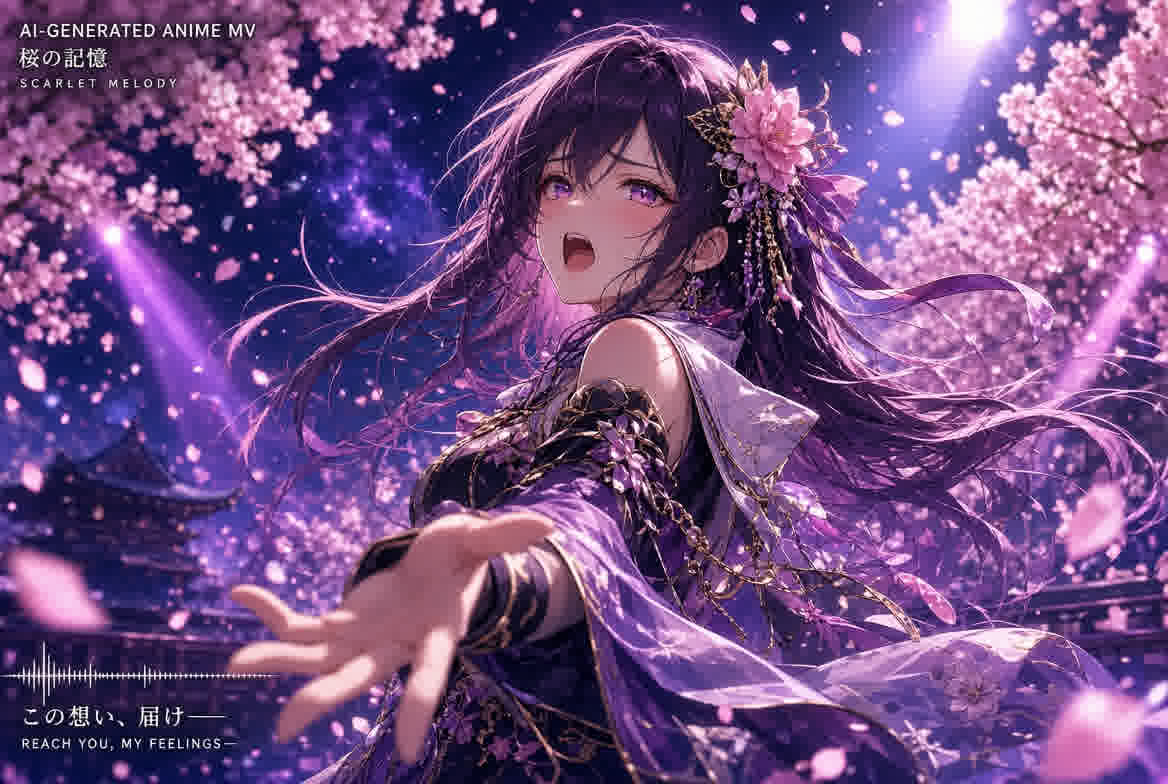
Anime music videos — AMVs — have been a cornerstone of internet culture for two decades. Traditionally, creating one meant spending 20 to 100+ hours slicing footage from existing anime, meticulously aligning every cut to the beat, and hoping the copyright gods looked the other way. In 2026, that workflow has been completely transformed. You no longer need existing footage. You no longer need editing software. And you definitely do not need to know how to draw.
A modern AI anime music video maker generates entirely original anime footage from your audio file — frame by frame, beat by beat — in minutes. This article explains how the technology works, what you can create, and how to get professional results without any artistic or editing experience.
Why Anime and AI Generation Are a Perfect Match
AI video generation has advanced rapidly, but general-purpose tools struggle with realism — hands look wrong, faces morph, physics break. Anime, by its nature, is stylized. The visual language of anime — bold outlines, expressive color grading, exaggerated motion — actually aligns better with current AI capabilities than photorealism does. An anime music video made by AI looks intentional. A photorealistic AI video with subtle artifacts looks broken.
This is why FlyU.ai's anime music video maker has become one of the platform's most popular features: the medium and the technology reinforce each other. Beat-synced action cuts, speed-line transitions, and character pose changes feel natural in anime — and AI handles them well. What would take a human animator weeks to draw, the AI generates in under two minutes.
8 Anime Styles — One Song, Eight Different Videos
The single most important creative decision in AI anime MV generation is choosing the right style. Each style fundamentally changes how the AI interprets your music:
⚔️
Shonen
Action / Fighting
🌸
Shojo
Romance / Drama
🧸
Chibi
Cute / Comedy
🌃
Cyberpunk-Anime
Sci-Fi / Dystopian
🏯
Ghibli-style
Fantasy / Nature
🤖
Mecha
Robot / Military
📖
Manga Motion
Comic Panel Style
✨
Anime Bloom
Dreamy / Ethereal
Each style produces a completely different visual interpretation of the same audio. A J-Pop track run through Shonen mode generates action-fight choreography synced to the beat. The same track in Shojo mode produces romantic character moments with soft lighting and emotional pacing. In Cyberpunk-Anime mode, it becomes a neon-drenched dystopian sequence. The style is not a filter — it is a creative direction that the AI follows from the first frame to the last.
How AI Anime Music Video Generation Works
Step 1 — Upload Your Audio Track
MP3, WAV, FLAC, AAC, or OGG — any common format works. The AI begins spectral analysis immediately, detecting BPM, beat positions, song structure, and energy curves. This music intelligence layer is what separates a real anime music video maker from generic AI video tools that ignore audio entirely.
Step 2 — Select Your Anime Style
Choose from 8+ styles, each calibrated for different anime aesthetics. The AI pairs your selected style with genre-appropriate scene composition rules — Shonen gets dynamic camera angles and speed lines; Ghibli-style gets wide landscape shots and gentle pacing.
Step 3 — AI Generates Original Anime Footage
This is the breakthrough. Unlike traditional AMV creation — which requires cutting and remixing existing anime footage — AI generates entirely original visual content. Every frame is new. The AI models (including Seedance 2.0 for fluid motion and HappyHorse for character consistency) create scenes, characters, and effects that have never existed before, synchronized to your music's beat grid.
Step 4 — Export and Share
Download in 9:16 (TikTok/Reels/Shorts), 16:9 (YouTube), or 1:1 (Instagram Feed). The export is platform-ready — no additional editing required.
The Photo-to-Anime Character Feature
Creative Breakthrough
Upload a portrait photo — yourself, a band member, anyone — and the AI converts it into an anime-style character. That character then appears throughout your generated music video as the protagonist, lip-syncing to your vocals at phoneme-level accuracy. This transforms a generic anime MV into a personalized performance video starring an anime version of you.
This feature is unique to FlyU.ai's anime music video maker and represents a significant creative leap: you are no longer just watching AI-generated anime — you are in it. For independent artists building a visual brand, an anime avatar that appears consistently across multiple music videos creates instant recognizability.
What Music Works Best for Anime MVs
While any genre can be paired with an anime style, some combinations consistently produce exceptional results:
- J-Pop and K-Pop: The natural pairing. These genres share cultural DNA with anime, and the upbeat tempos and clear song structures produce dynamic, emotionally resonant AI visuals.
- Vocaloid and Electronic: Synthetic vocals and electronic production match the digital nature of AI-generated anime. The precision of electronic beats gives the beat-sync engine clean transients to lock onto.
- Anime OST and Instrumental: Orchestral and piano-driven anime soundtracks paired with Ghibli-style or Anime Bloom visuals create cinematic, emotionally powerful results.
- Hip-Hop and Rap: The rhythmic complexity of rap — with its rapid-fire syllable patterns and 808 bass slides — produces intense, high-energy Shonen or Cyberpunk-Anime action sequences.
Pro Tips for Better Anime AI Music Videos
Tip 1 — Match Sync Intensity to Your Anime Style
Shonen and Mecha benefit from high sync intensity — rapid cuts, speed lines on every beat, explosive transitions. Ghibli-style and Shojo look better with medium to low intensity — slower camera pans, gentle fades, emotional pacing. The wrong sync intensity makes an otherwise perfect anime MV feel rhythmically disconnected.
Tip 2 — Use Photo-to-Anime for Brand Building
Upload the same portrait photo across multiple music videos. The AI generates a consistent anime character that becomes your visual brand. Over 5-10 releases, viewers recognize the character instantly — even before they hear the music.
Tip 3 — Generate Multiple Styles from One Track
AI generation is fast enough to run the same song through 3-4 different anime styles in under 10 minutes. Post the Shonen version on TikTok, the Shojo version on Instagram, and the Cyberpunk-Anime version on YouTube Shorts. Same song, different audiences, zero extra production cost.
Frequently Asked Questions
Can AI really generate authentic anime-style music videos?
Yes. Modern AI anime music video makers are specifically trained on anime visual language — from Shonen action cuts to Ghibli-inspired watercolor — and generate original, beat-synced anime footage from audio alone. The stylized nature of anime actually works better with current AI than photorealism does. No drawing skills, no existing footage, and no editing experience are required.
What anime styles can AI generate?
FlyU.ai supports 8+ distinct anime styles: Shonen (action), Shojo (romance), Chibi (cute), Cyberpunk-Anime (sci-fi), Ghibli-style (fantasy/nature), Mecha (robot), Manga Motion (comic panel), and Anime Bloom (ethereal). Each style produces fundamentally different visual output — they are not filters applied to the same video, but entirely different creative directions the AI follows from the first frame.
Can I turn a real photo into an anime character for my music video?
Yes. FlyU.ai's anime music video maker includes a photo-to-anime conversion feature. Upload any portrait photo and the AI transforms it into a consistent anime character that appears throughout your generated video — including phoneme-level lip-sync to your vocals. This is unique among current AI anime MV tools.
Do I need to worry about copyright with AI-generated anime videos?
No. Because the AI generates entirely original footage — not clips from existing anime — there are no copyright issues with the visual content. You own full commercial rights to every frame. This is fundamentally different from traditional AMV creation, which uses copyrighted anime footage and exists in a legal gray zone.