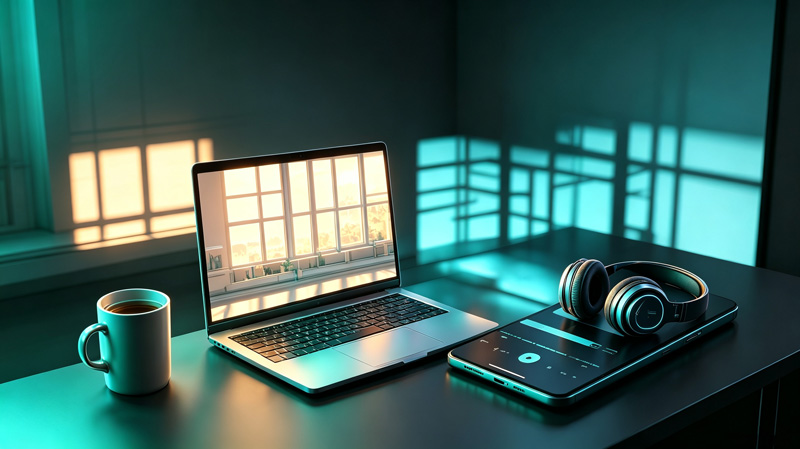
Lo-Fi music lives on atmosphere. The warm, slightly imperfect, analog feel that defines the genre carries over to its visuals: muted color palettes, slow camera drift, rain on a window, a cat nodding to the beat. In 2026, an AI lofi music video generator reproduces this aesthetic from your audio file — no After Effects, no stock footage, no hours of keyframing. You upload a track, choose a warm visual style, and get a loop-ready video in minutes.
This guide explains how to make a lo-fi music video with AI, which styles produce the right mood, and how to set the pacing so the visuals match the music instead of fighting it.
Why Lo-Fi Visuals Suit AI Generation
Lo-Fi's defining characteristic is restraint — and restraint is where AI video generation excels. A lo-fi video asks for gentle motion, muted color, and a calm composition, not photorealism or complex choreography. AI models handle these patterns reliably. A slightly abstract, hand-drawn-feeling animation reads as intentional in lo-fi; the same artifact would look broken in a photorealistic pop video.
There is also a distribution angle. Lo-Fi content lives on YouTube study streams, chill playlists, and Spotify — platforms where a looping, audio-reactive visual keeps a track playing on repeat. A beat-synced, seamlessly looping lofi visual directly supports that listening behavior.
The Lo-Fi Visual Styles to Generate
The mood comes from the style. The relevant options on an AI music video generator include:
| Style | Look | Best For |
|---|---|---|
| Lo-Fi Sunset | Warm oranges, sun haze, analog film grain | Classic lo-fi, chill hip-hop |
| Watercolor Dream | Soft pastels, hand-painted feel | Ballads, instrumental piano |
| Vintage Film | Grain, faded color, 35mm warmth | Nostalgic and acoustic tracks |
| Abstract | Soft gradient waves, slow morphs | Ambient and instrumental |
| Anime Bloom | Gentle stylized animation | Study-style anime lo-fi |
Each style is a creative direction, not a filter. Lo-Fi Sunset produces warm, hazy scenes that match the genre's analog identity; Abstract produces slow morphing gradients that work for instrumental-heavy tracks.
How to Make a Lo-Fi Music Video with AI: Step by Step
Step 1: Use a clean, warm master
Lo-Fi tracks are often mixed with intentional tape hiss and saturation. Keep that character, but export a clean digital master at 320 kbps or higher. The AI's beat detection works on the waveform, so a clean export gives the sync engine the clearest signal.
Step 2: Choose a lo-fi style and low sync intensity
This is the most important setting. Lo-Fi asks for low sync intensity: slow crossfades on phrase boundaries, gentle camera drift, and color shifts that follow the mood rather than the kick. Set the generator accordingly. FlyU.ai's beat-sync engine lets you dial intensity down so the visuals complement the track instead of cutting on every beat.
Step 3: Generate the video
Upload the track and generate. For a full song, use Pro Mode for length and resolution; for a 15-second teaser, Lite Mode on the free tier works. Review the first cut and check that the motion feels calm — if the cuts are too frequent, lower the sync intensity and regenerate.
Step 4: Export for the platforms where lo-fi lives
Lo-Fi performs on specific platforms, each with its own ratio:
- YouTube — 16:9 widescreen for study streams and full-track videos
- Spotify Canvas — 2.39:1, 8-second seamless loop for the now-playing screen
- Instagram / TikTok — 9:16 vertical for short clips and teasers
One generation exports all four formats without re-rendering.
Tips for an Authentic Lo-Fi Feel
Loop the visual. Lo-Fi is listened to on repeat. A seamless loop — where the last frame flows into the first — turns the replay into a feature. Choose styles with continuous motion like drifting gradients or gentle pans.
Keep the character quiet. If you use a character or avatar, keep motion minimal. A still figure with subtle animation (hair movement, a blinking light) reads more lo-fi than an active character.
Add grain and warmth. Vintage Film or Lo-Fi Sunset styles add the analog grain that defines the genre. Avoid high-contrast neon styles — they fight the mood.
Match energy to sections. Even within one track, verses can be visually quieter than a chorus. A generator that adapts sync by song section produces a more musical result than a flat intensity across the whole video.
Common Mistakes to Avoid
- High sync intensity. Lo-Fi with EDM-style cutting feels frantic and wrong. This is the single most common error.
- Too-bright palettes. Neon and saturated colors break the warm, muted mood. Stay with warm and pastel styles.
- A hard-cut loop. If the video restarts with a visible jump, the repeat-listening behavior the genre depends on breaks.
- No platform-specific export. Lo-Fi lives on YouTube and Spotify as much as social — export for all of them.
Key Takeaways & Quick Checklist
- Export a clean digital master, keeping the track's analog character
- Choose Lo-Fi Sunset, Watercolor Dream, or Abstract
- Set sync intensity to low — slow fades, gentle pans
- Enable seamless looping so the replay feels intentional
- Review sections: verses quieter, chorus slightly more active
- Export 16:9 for YouTube, 2.39:1 for Canvas, 9:16 for social
- Test two styles on the same track before choosing
Lo-Fi is the genre where restraint is the whole point, and a low-sync, loopable AI visual delivers that atmosphere without stock footage or keyframing. The genre's audience listens on repeat, so a seamless loop is not a nice-to-have — it is the format. Run the checklist and a chill track becomes a repeat-worthy visual that fits the playlists and study streams where lo-fi actually lives.